AI for translation offices: a quote from a photo of the document.
This worked example shows what an assistant does in a translation office or agency, step by step. A customer sends a photo of a document in a chat, and the office gets an automatic quote to approve: a draft price and delivery date from its own price table.
The job
Customers send a document on WhatsApp and ask two things: what does it cost, and when will it be ready? Someone opens the photo, sees what kind of document it is and how many pages it has, looks up the price and writes back.
Then the document gets a job number, goes to a translator, is typed into the office's layout, checked, signed, stamped and filed, and the customer is told that it is ready. Most of these steps are the same for every document.
Step by step
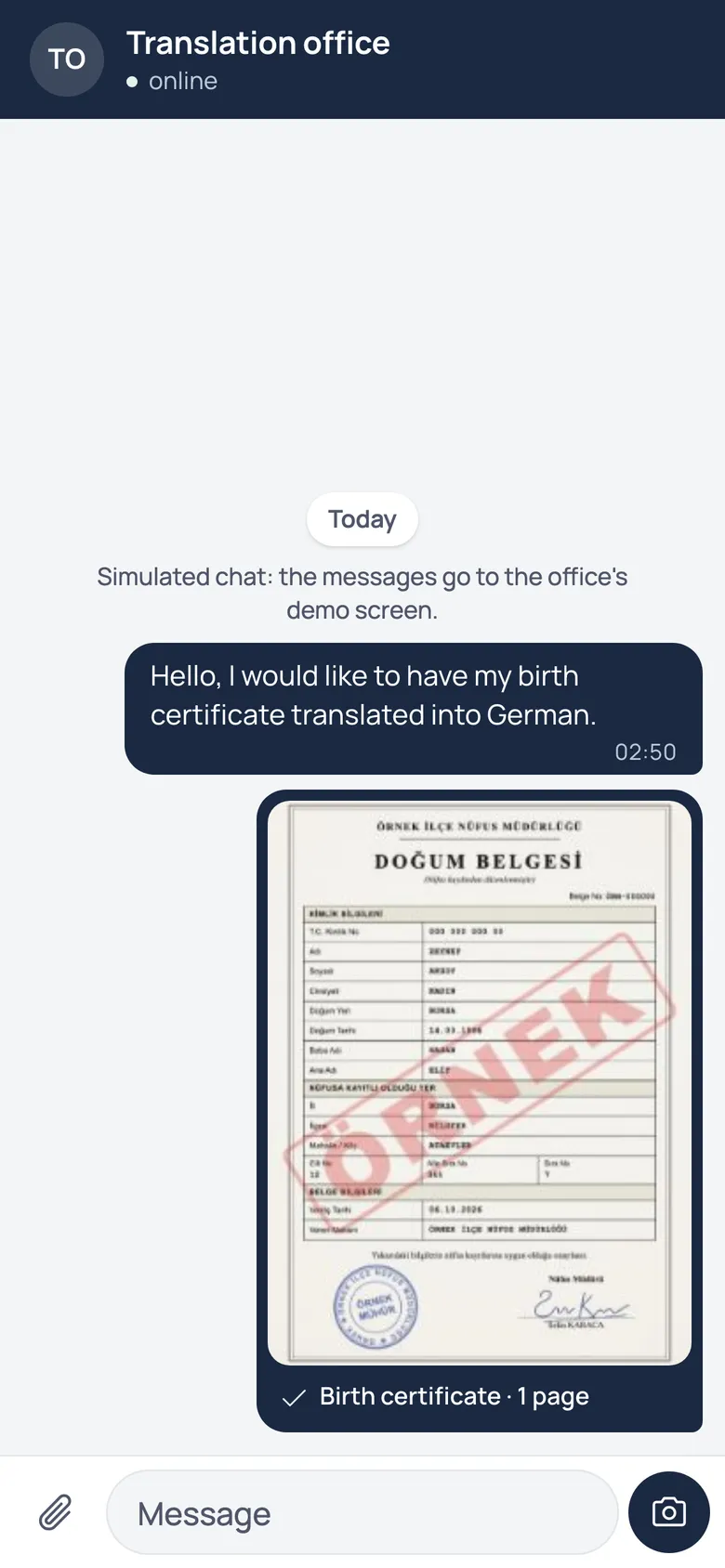
The customer writes and sends a photo
In a chat, the customer says what is needed, for example a birth certificate into German, and photographs the document. A PDF works too.
- Assistant
A photo that cannot be read is flagged
A blurred, dark or cut-off photo is marked on the phone at once, and only that page is taken again.
- Assistant
The assistant recognises the document
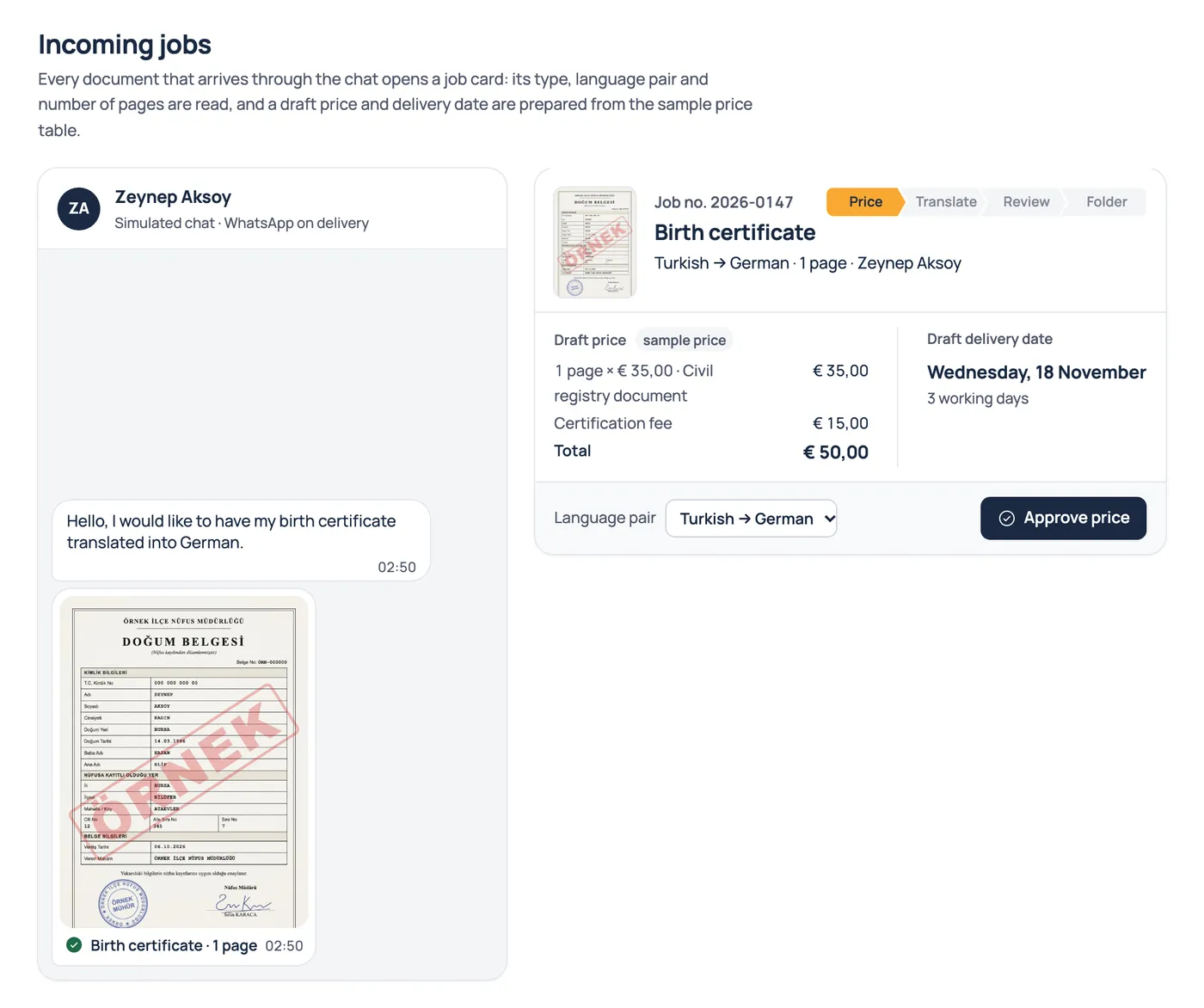
It says what the document is, which language it is in, how many pages it has and whose it is. The job gets a number, and the language pair comes from what the customer asked for.
- Assistant
A price and a delivery date are drafted
The price comes from the office's price table: a rate per page for this kind of document, plus the certification fee. The delivery date counts working days, without weekends and public holidays.
- You decide
The office approves the price
Someone in the office looks at the job card, changes the language pair if needed and approves. The message to the customer waits as a draft, and the office sends it as it stands or edits it first.
- Assistant
The translation is drafted in the office's layout
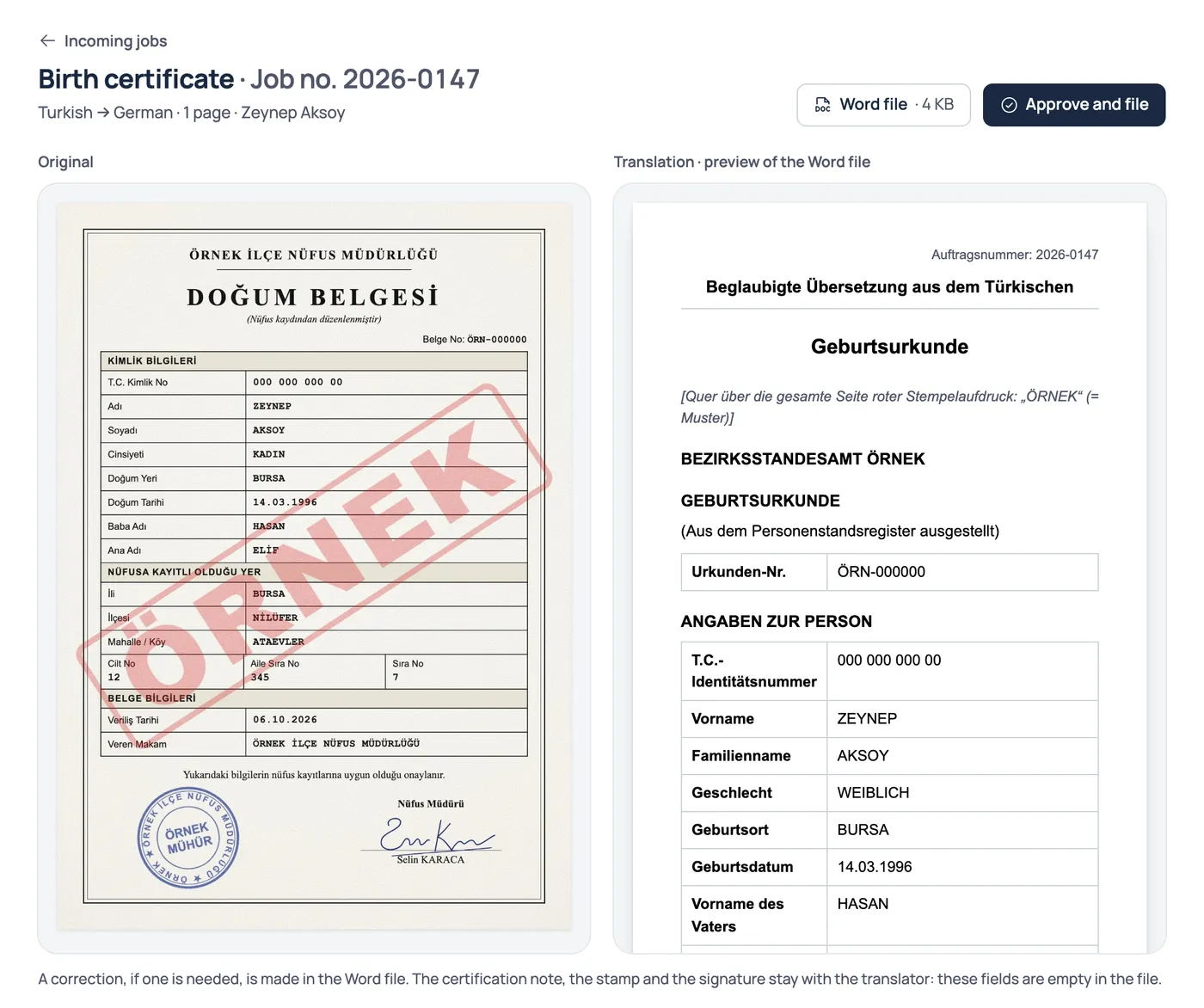
After the approval the assistant translates the document and writes it into a Word file in the layout of a sworn translation, with the job number. The certification note, the signature and the stamp are left blank.
- You decide
The translator checks and approves
The original and the translation stand side by side, and corrections are made in the Word file. After the approval the file lies in the customer's folder, and a message that the translation is ready waits as a draft.
What it looks like
These are screens of the example, running on invented documents. The example's interface is in Turkish; the screens are shown translated.
What stays with you
The prices are yours: the table, the fees and the delivery times. So is every message. Nothing reaches the customer's phone before someone in the office sends it.
The translation is a draft until a translator has approved it. Certification, signature and stamp always stay with the translator. The example covers Turkish with German and Turkish with English. For any other language the job card names it and drafts no price. What the assistant cannot read on a document it marks as illegible instead of guessing.
See it running
The example runs on invented documents: sample certificates and a sample price table. The chat is shown on a phone. With a WhatsApp Business number the same chat runs on WhatsApp.
I show you this running at your place in Vienna. Afterwards you can try it with your own documents through a time-limited link I send you.
The first conversation is free and takes twenty minutes, in Turkish or English. Before anything is built you get a fixed price in writing.